
How to verify SW version on the machine
Step 1: Log on OLS
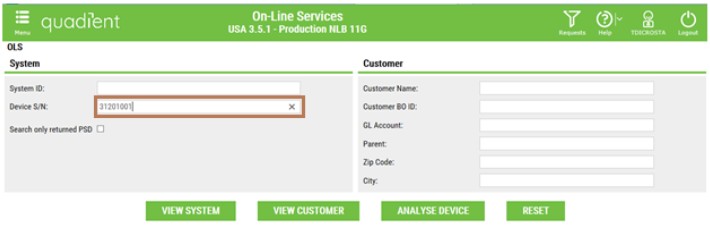
Step 2: Enter the Die Number in Device S/N
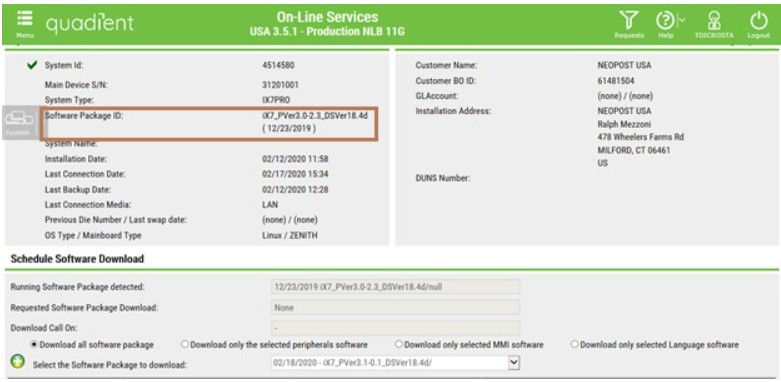
Step 3: Once you arrive on Dashboard, you can check the SW version indicated in the Software Package ID field on the dashboard.


Step 1: Log on OLS
Step 2: Enter the Die Number in Device S/N
Step 3: Once you arrive on Dashboard, you can check the SW version indicated in the Software Package ID field on the dashboard.