


How to push a slogan to a machine
Step 1: Log on OLS
Step 2: Enter the Die Number in Device S/N
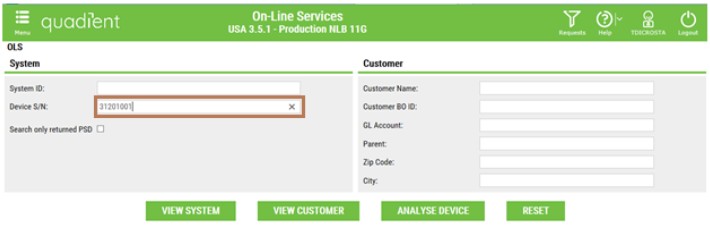
Step 3: Click on the device as below :

Step 4: From the home page below, click on System :
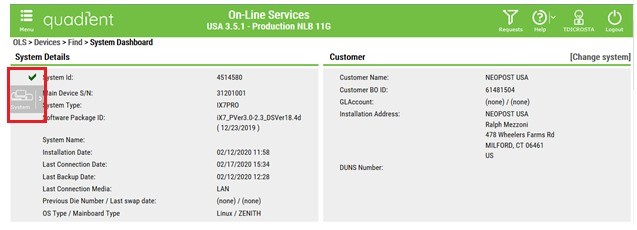
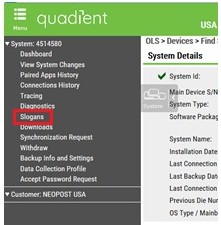
Step 5: Select Slogans
Step 6: Click on Upload Slogans
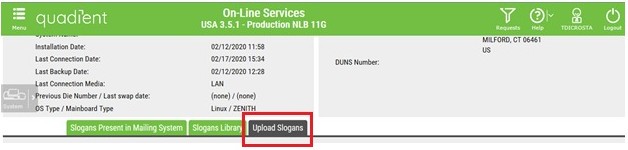
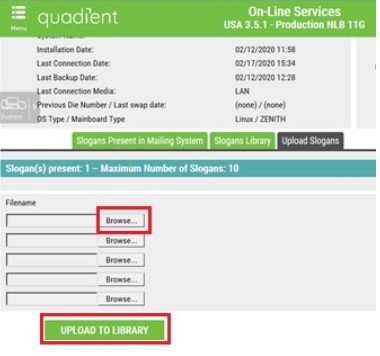
Step 7: Then, you can load your slogan (s) only in .xndf format by clicking on Browse. After the loading, clik on Upload to library in order to push the slogan in the library.
Step 8: Slogans present click on Slogan Present in Mailing System

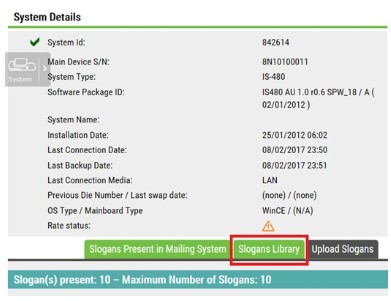
Step 9: Then, click on Slogans Library
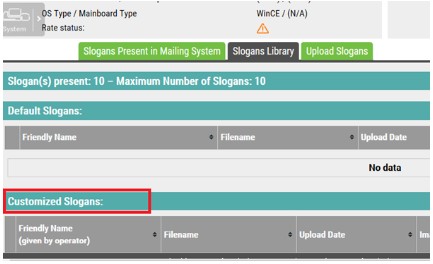
Step 10: Go to Customized Slogans
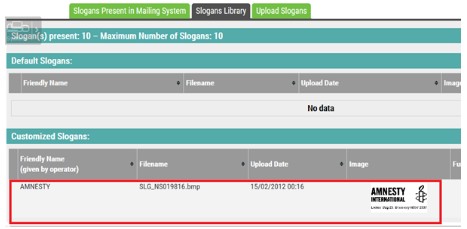
Step 11: The slogan you have pushed above is now on the library
Step 12: To push the slogan on the machine, please click on Force Load on System

Please ask customer to perform a generic call in order to have the slogan on the machine.