
How to Check Contract
Step 1: Log on OLS
Step 2: Enter the Die Number in Device S/N
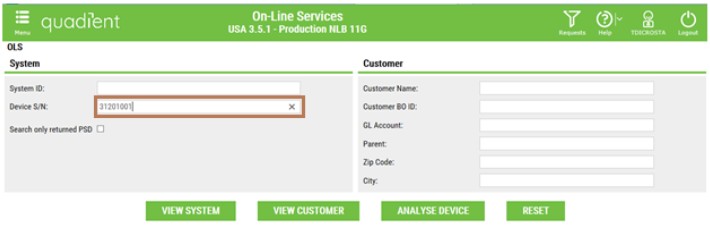
Step 3: Click on the device as below :

Step 4: From the home page below :

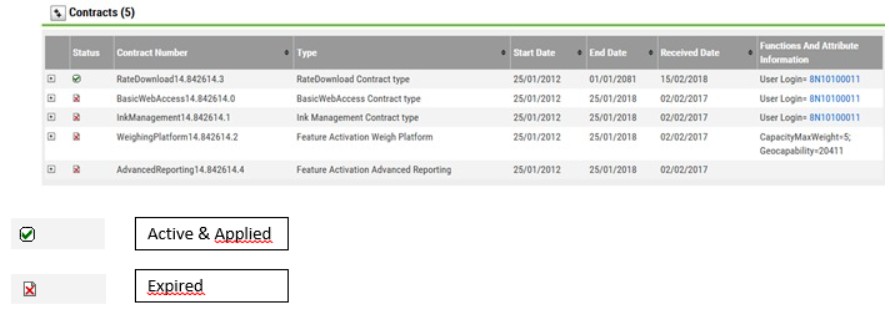
Step 5: Go to Contracts :


Step 1: Log on OLS
Step 2: Enter the Die Number in Device S/N
Step 3: Click on the device as below :
Step 4: From the home page below :
Step 5: Go to Contracts :